
Send one-time passcodes
If you send login or verification codes, this is the category to use. Authentication templates are cheaper than the alternatives, and they get the tap-to-copy button that makes a code usable on a phone.
What makes them different
Meta fixes the shape. You do not write the message freely — you choose from a small set of options and Meta assembles it. That is the trade: less control, faster approval, lower price.
Every authentication template has exactly one variable — the code itself.
Steps
-
In the sidebar, open Channels → WhatsApp → Templates.
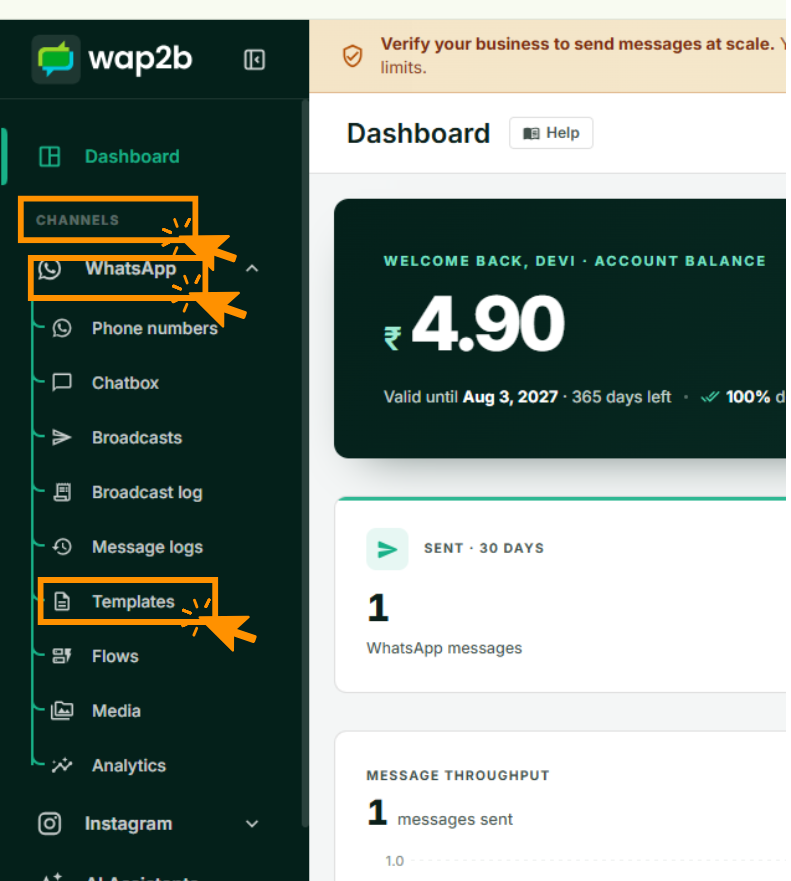
Templates live under the WhatsApp channel. -
Click New template at the top right.
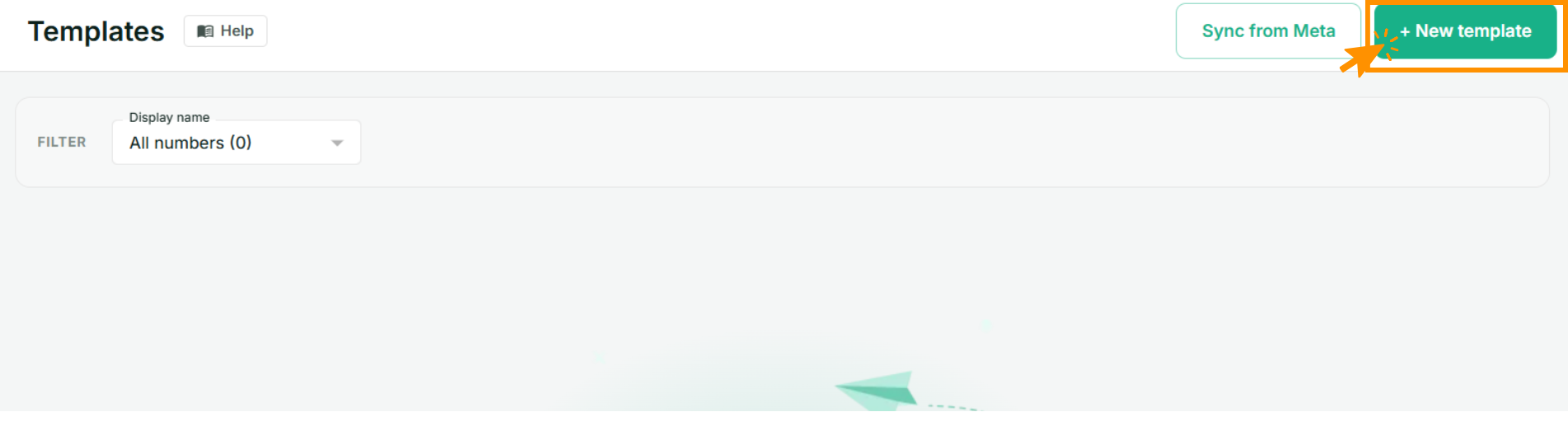
Sync from Meta beside it pulls in templates created outside Wap2b. -
Pick your number, a name and the language.
-
Set Category to Authentication. The form changes to the authentication options.
-
Choose your options:
- Security recommendation — adds "For your security, do not share this code." Recommended.
- Code expiration — adds "This code expires in N minutes." Set it to match what your system actually enforces.
- Copy-code button text — the label on the tap-to-copy button. "Copy code" is fine.
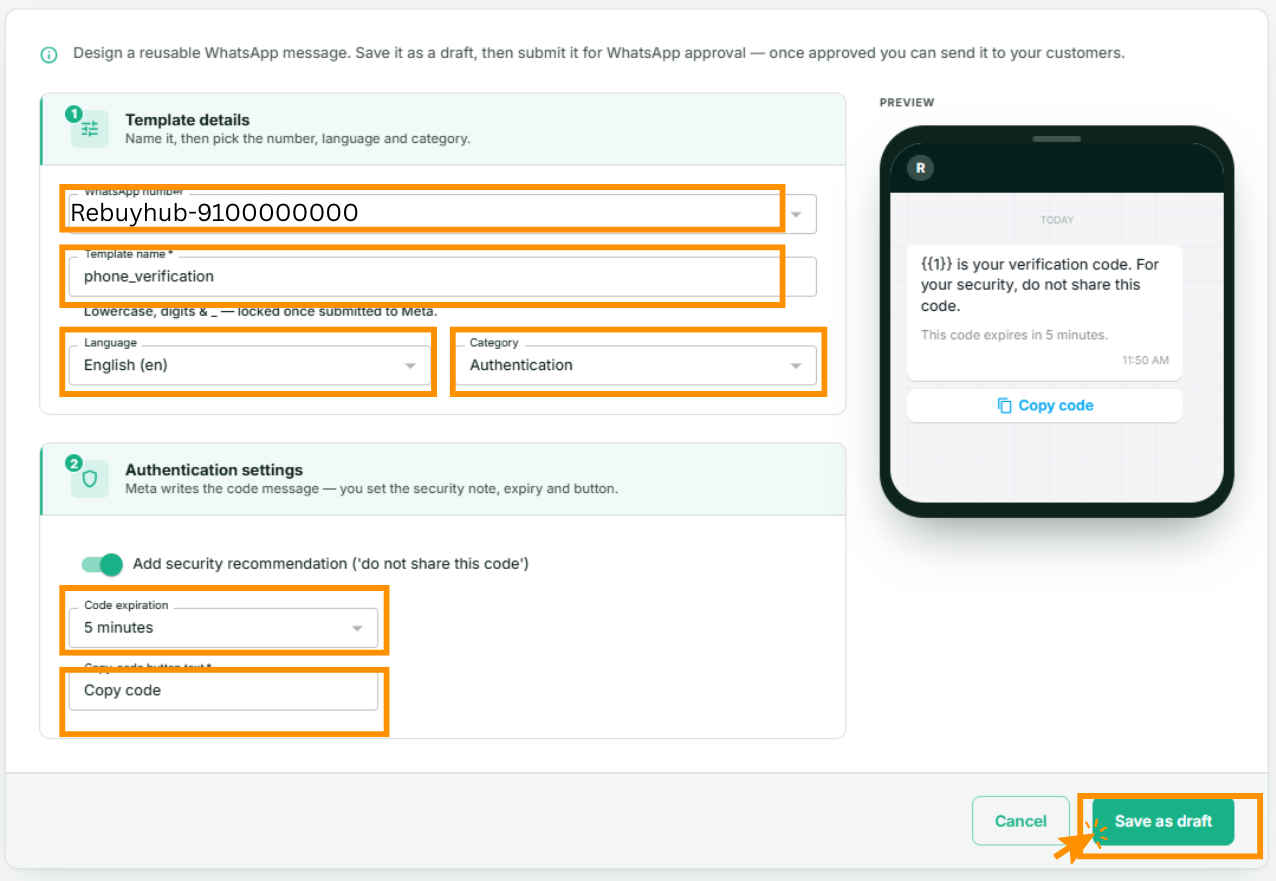
There is no body field to write. The preview on the right is the whole message Meta will send. -
Save as draft, then Submit to Meta from the template's page. Authentication templates are usually approved quickly.
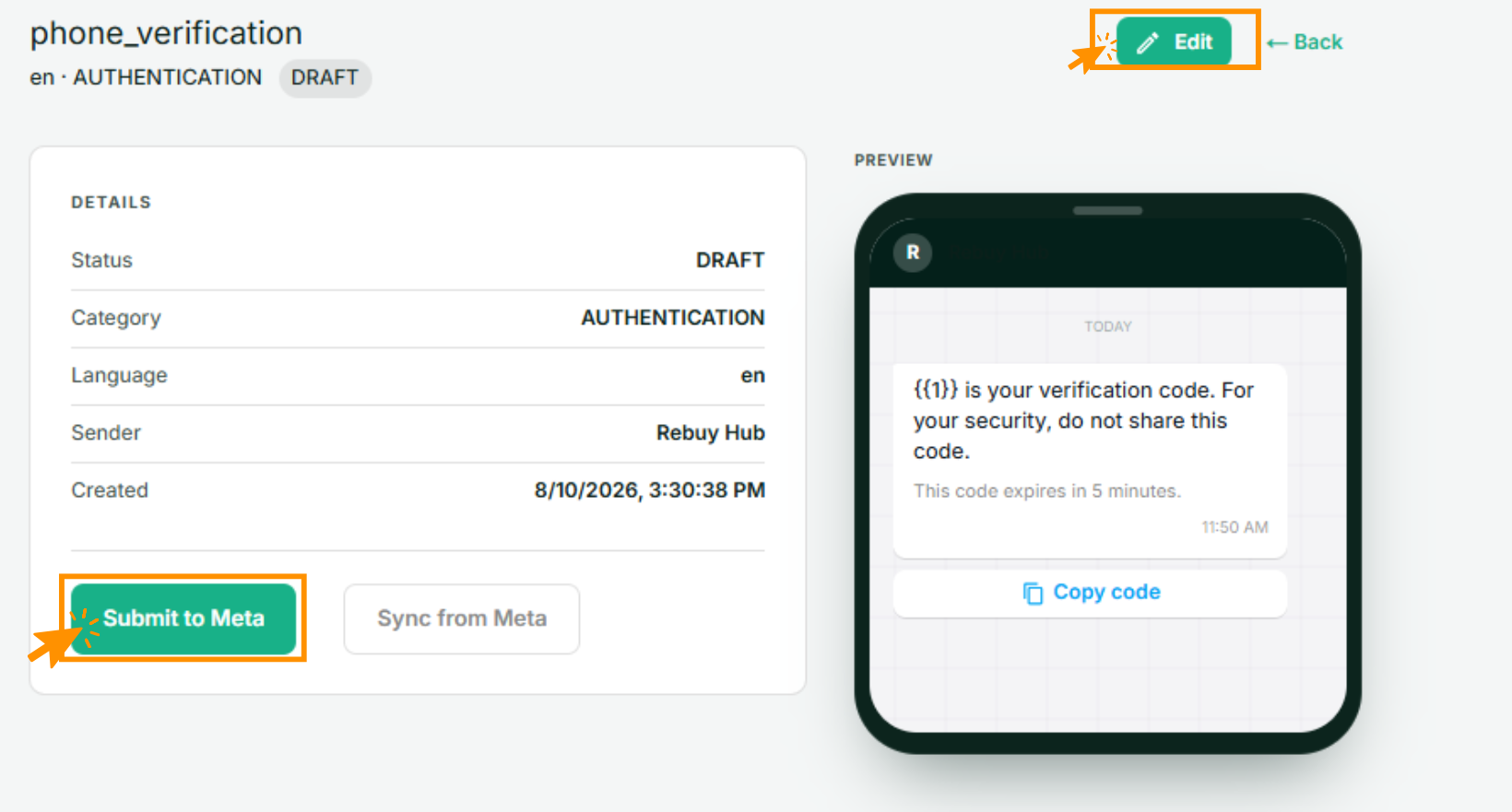
Nothing reaches Meta until you submit. Edit while it still says DRAFT.
Sending the code
The code goes in as the template's first variable. Everything else — the security line, the expiry text, the button — Meta fills in.
- From your own system, send through the API and pass the code as variable
1. See Using the API and webhooks. - By hand, from Single message, type the code into the variable field.
You do not put the code in the button separately. The one value fills both the message text and the copy button.
Generate the code in your own system
Wap2b delivers codes; it does not create or check them. Your application generates the code, decides how long it is valid and verifies it when the customer types it back.
Practical notes
- Keep expiry short — five to ten minutes is normal — and make sure the number in the message matches what your system enforces. A message promising ten minutes that expires in two generates support calls.
- Codes are time-critical. If a customer says a code arrived late, check Message logs for the delivery timestamp before assuming.
- A blocked number never receives the code. If one customer reliably never gets them, that is usually why.
If something goes wrong
- The message arrives without a copy button. The template was not built in the Authentication category. Categories cannot be switched after approval — create a new one.
- The code shows as
{{1}}. No value was passed for the variable. If sending through the API, check the parameter is present. - Rejected on submission. Uncommon for authentication templates, and nearly always a name or language problem rather than content. See Why was my template rejected?
- Codes are slow to arrive. Check the number's status on Phone numbers — a restricted number delays or drops sends. See My number or account is restricted.