
Your profile and business details
Three different things live under similar names. Worth separating them.
Your account profile
Update Profile — your own name, contact details and preferences. Internal to Wap2b. Customers never see any of it.
Keep the email address current above all else. It receives balance expiry reminders, payment confirmations and password resets. An address nobody reads is how a balance quietly expires.
Your WhatsApp business profile
This one customers do see — when they tap your name at the top of the chat, this is what opens.
Edit it from Phone numbers, on the number it belongs to:
- About — one line under your name. Say what you do.
- Description — a fuller paragraph.
- Address, email and website.
- Business category and hours.
- Profile picture — your logo. Square, and legible at small size.
Worth filling in properly. It is the only place a cautious customer can check you are a real business before replying, and it takes five minutes once.
Display name
The business name shown above the chat. Set when you connect a number, and changeable afterwards from Phone numbers.
Meta approves display name changes
A change goes for review and can be rejected if the name does not clearly relate to your business. Nothing breaks while it is under review — the existing name stays until the new one is approved.
Password and access
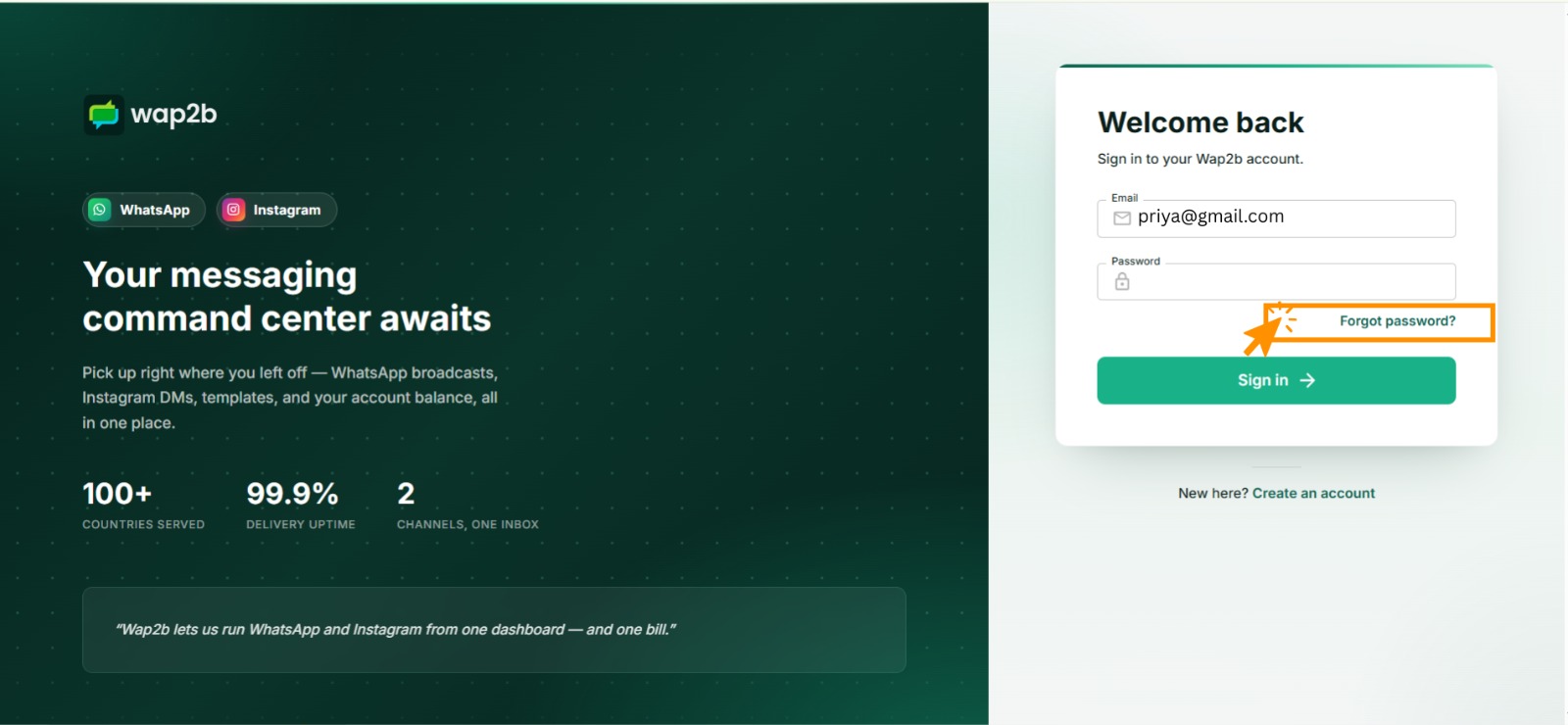
Change your password from Update Profile. If you cannot sign in at all, use forgot password — the link sits under the password field on the sign-in screen. It emails a 6-digit code you exchange for a new password.
Everyone should have their own login. Sharing one makes it impossible to tell who replied to a customer, and it means removing one person locks out everybody. See Work as a team.
If something goes wrong
- The business profile has not updated on WhatsApp. Changes propagate through Meta and are not always instant. Give it a while, then check on a phone that has never opened the chat — old details cache on the customer's device.
- The profile picture was rejected or looks wrong. Use a square image. Very wide or tall images get cropped unpredictably.
- A display name change was rejected. It must relate to your business. Try your registered or trading name rather than a slogan.
- You changed your email and stopped getting notices. Check the new address is verified and check its spam folder.