
Reply with a menu of buttons
Instead of a written reply, an answer can send a short message with up to three tappable buttons underneath it. The customer taps one rather than typing, which is faster for them and far more predictable for you — a tap is one of three known things, where a typed sentence is anything at all.
This is the reply most businesses want for their greeting: someone says hi, and instead of a wall of text they get a menu.
Set the match first
The top half of the dialog is identical to a text answer — a name only you see, how the message should match, and the words to match on. A menu usually belongs on the greeting words, because the greeting is where a customer has not yet said what they want.
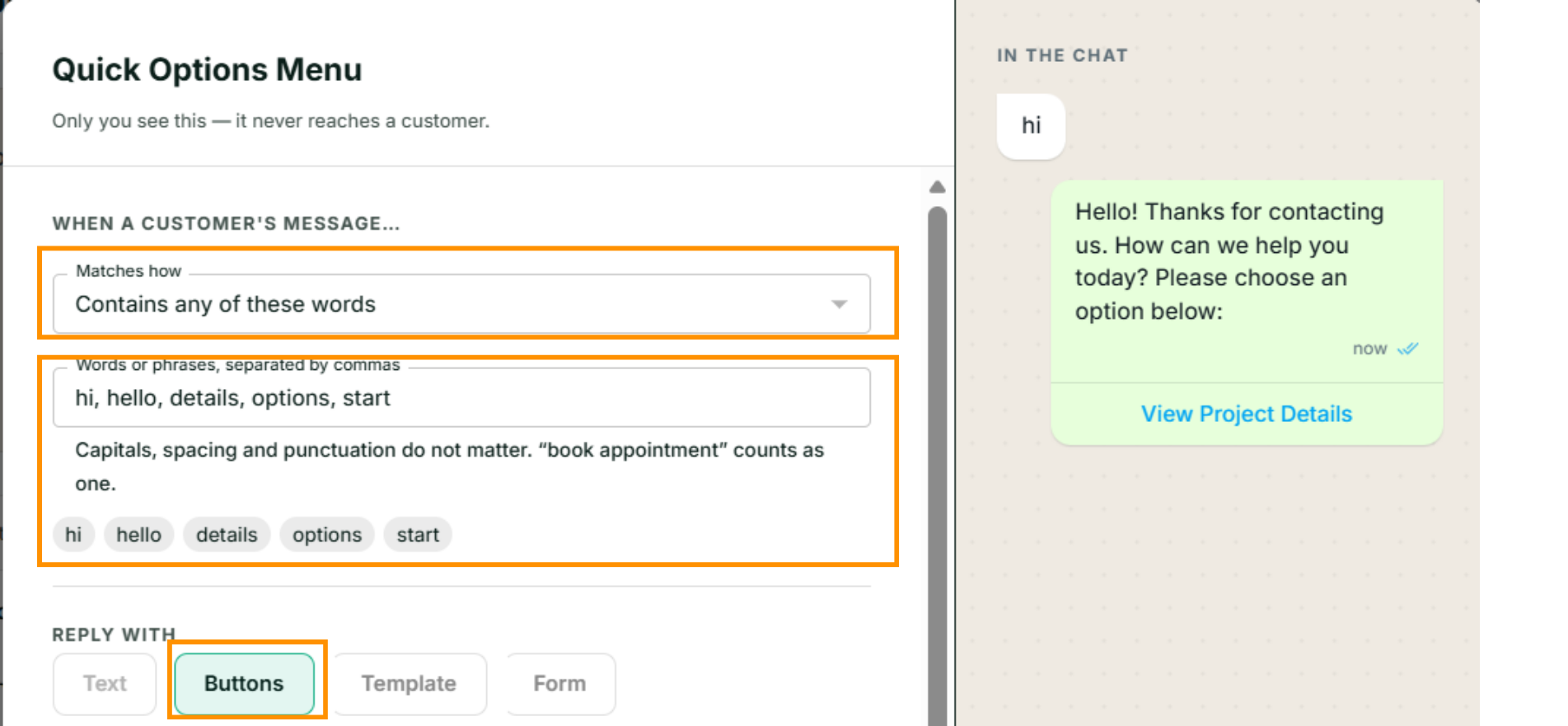
Build the menu
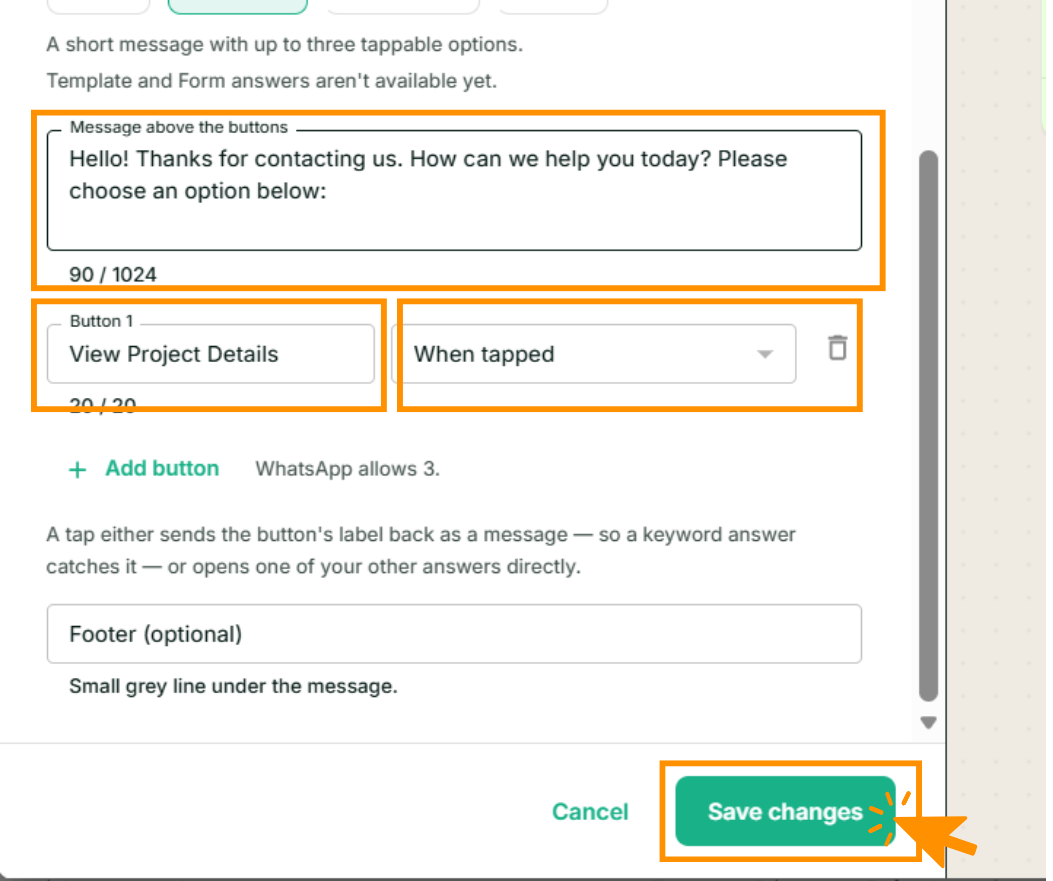
Message above the buttons. The question itself. Up to 1,024 characters — a quarter of what a plain text answer allows, because WhatsApp gives an interactive message less room.
Button label. Up to 20 characters, and that is a hard WhatsApp limit, not ours. Short and concrete beats clever: Prices, Book a visit, Talk to us.
When tapped. Two choices, and the difference matters:
- Nothing — sends the label back as a message. WhatsApp echoes the tap as if the customer had
typed the button's label. So a button labelled Prices is caught by whichever answer has
pricesin its words. Use this when you already have the answers written. - Show the answer "…" — the tap is addressed straight at that answer, by name. The wording of the two no longer has to agree, and no other answer can intercept it: an addressed tap jumps the queue regardless of where either answer sits in the list.
Write the destinations first
The When tapped dropdown only appears once this number has other answers to point at — until then a tap can only send its label back. Write the three destination answers first, then come back and point the buttons at them.
Footer. Optional, up to 60 characters. A small grey line under the message — opening hours, a phone number, Reply anytime.
Add button adds the next row, up to three. WhatsApp allows no more; if you need more than three options, the honest answer is fewer options, or an AI Assistant that can hold a real conversation.
Save, and the menu is live on the next message that matches.
Getting it right
- Three options, not three variations of one. If two buttons could plausibly answer the same need, one of them is noise.
- Make every button land somewhere. A tap that matches nothing gets the same treatment as any unmatched message — your assistant answers it, or nothing does. Check each label either has a matching answer or is addressed at one.
- Buttons can chain. An answer opened by a button can itself be a menu. Two levels is usually the limit of what anyone will tap through.
- A menu is not a form. For collecting several fields — a name, a date, an address — use a Flow instead.
What it costs
The same as any other instant reply: one automated reply, charged at the automated-reply rate. The buttons themselves cost nothing extra, and a tap that triggers another answer is another reply, charged again. See How pricing works.
If something goes wrong
- The buttons never appear. Check the answer is switched on, and that its words actually match what you sent — the preview shows the message, not the matching.
- The tap does nothing. The button was set to send its label back, and no answer has that label in its words. Either add the label as a word on the destination answer, or set When tapped to open that answer directly.
- The label is cut off. Twenty characters, including spaces. WhatsApp truncates on the customer's phone even when it fits in the editor.
Next
Order, pause and edit your answers — what happens once you have more than a couple.