
Send your first broadcast
A broadcast sends one approved template to many people. Each recipient gets an ordinary private message — nobody sees anyone else, and replies come back to you individually in Chatbox.
Before you start
- An approved template for the number you are sending from. See Create and submit a template.
- Contacts in a group, marked opted in. See Organise with groups and subgroups.
- Enough balance for the whole send.
Steps
In the sidebar, open Channels → WhatsApp → Broadcasts.
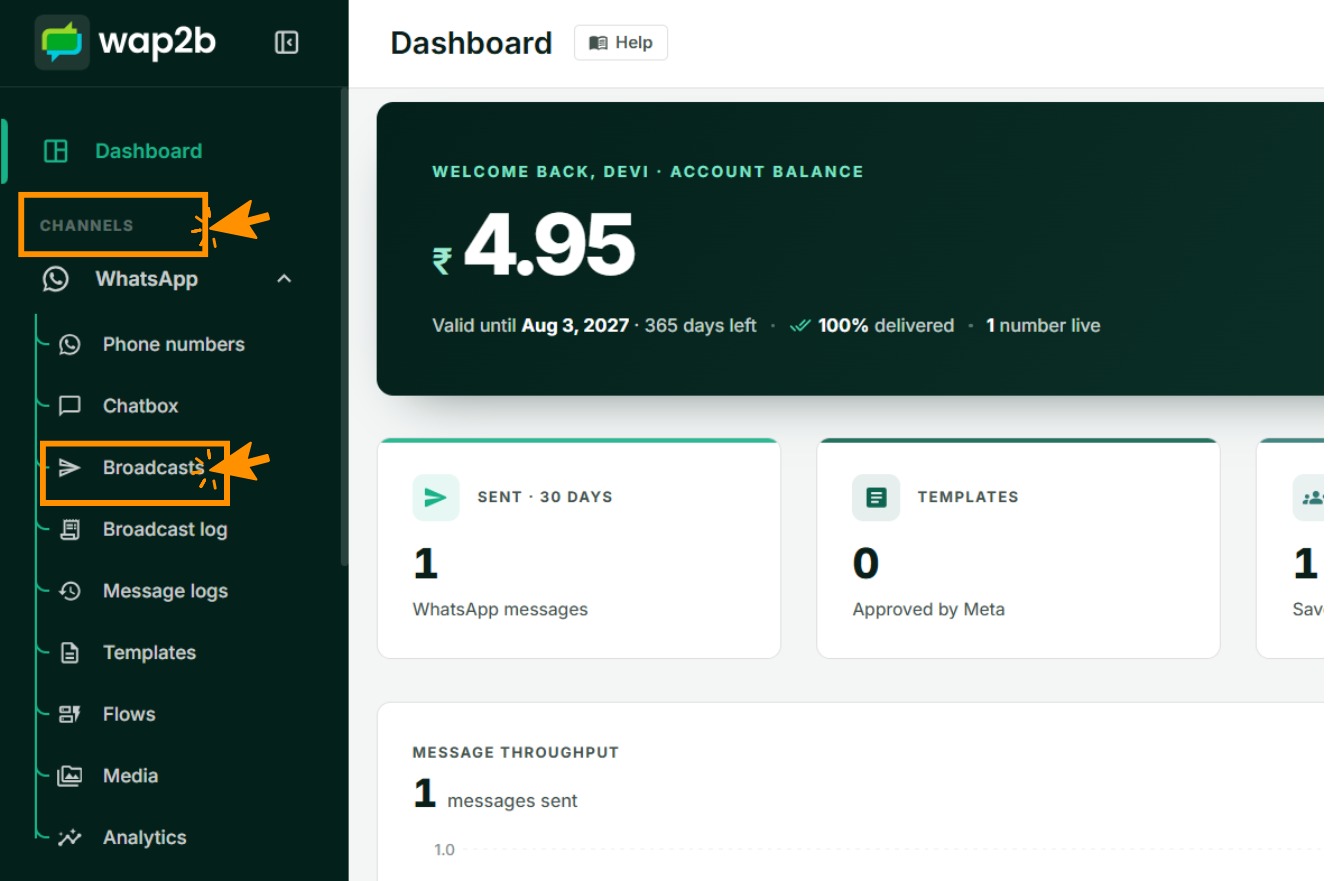
Click New broadcast. It is a three-step wizard.

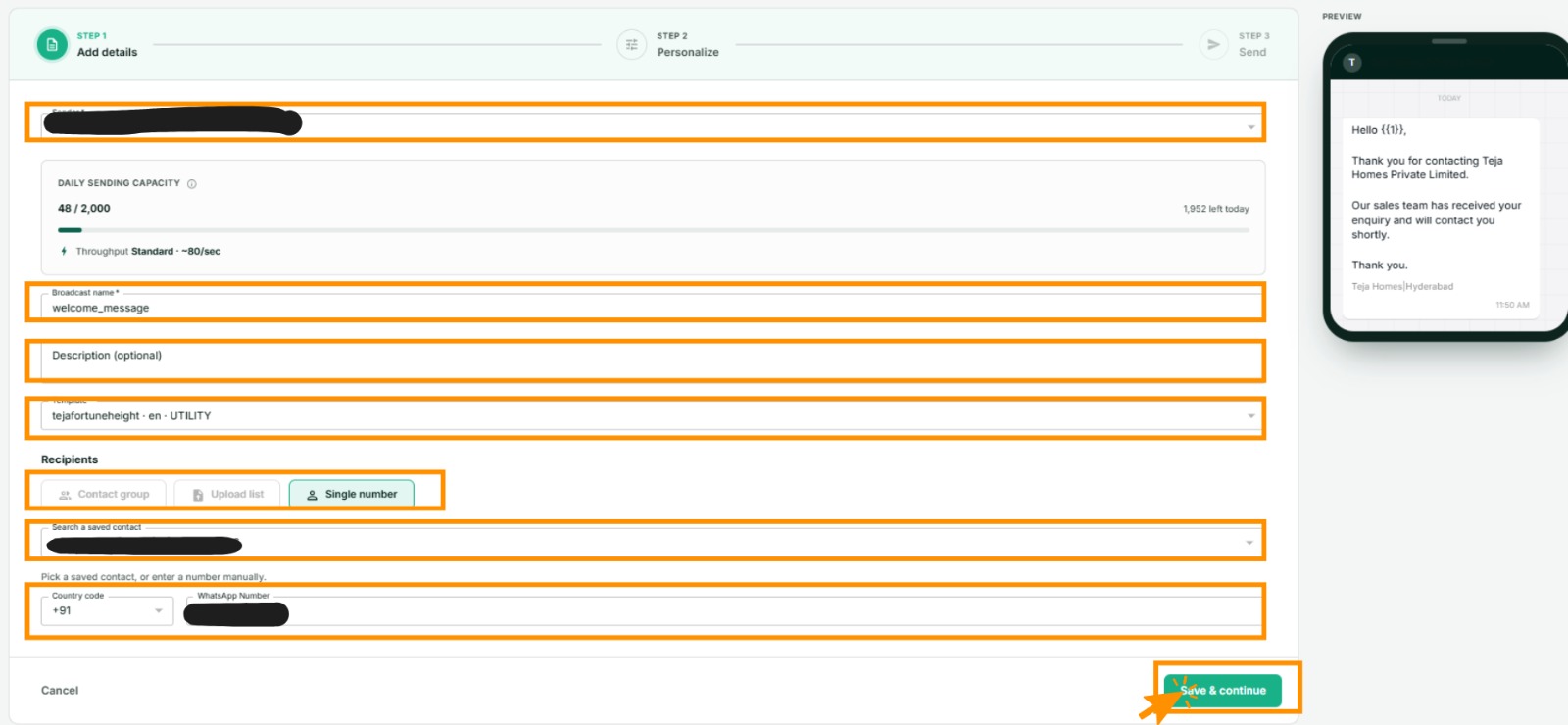
Step 1 — Add details
-
Sender — which of your numbers it goes from.
-
Broadcast name — internal. You will look for it in the log later, so make it findable:
Diwali offer — MumbaibeatsBroadcast 4. -
Description — optional notes for yourself.
-
Template — only templates approved for the selected number are listed.
-
Header file — if the template has an image, video or document header, choose the file now, or pick one from your media library.
-
Recipients — one of:
- Contact group — a group, and optionally one subgroup within it.
- Upload list — a spreadsheet of numbers, available when the template has variables. See Personalise each message.
Messaging one person is not done here. It has its own screen — see Send one message to one person.
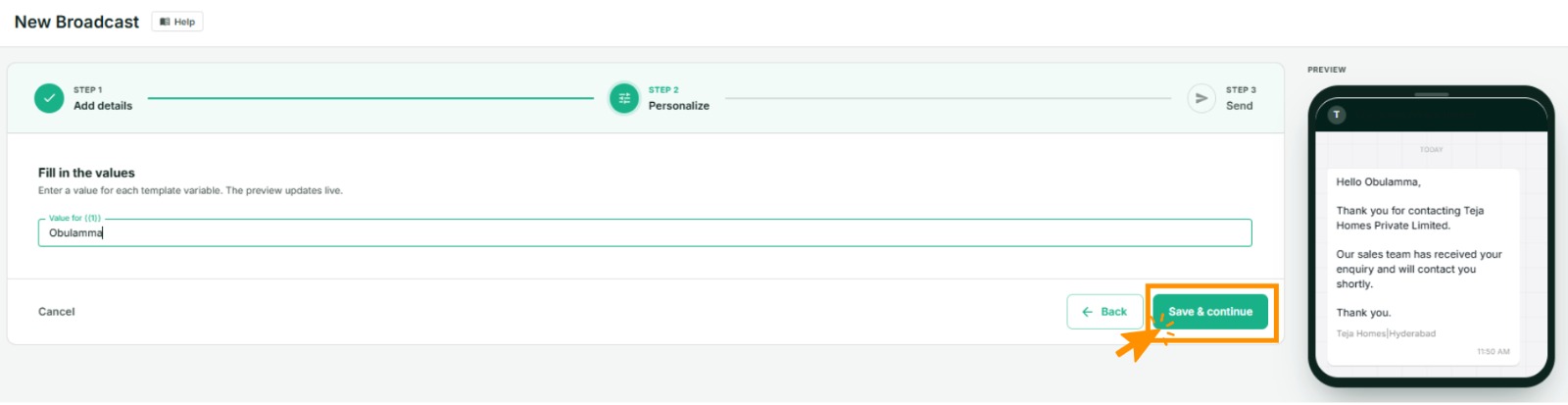
Step 2 — Personalize
Only appears if the template has variables. Skipped entirely if it does not. Fill in a value for each one and the preview redraws as you type. Covered in Personalise each message.
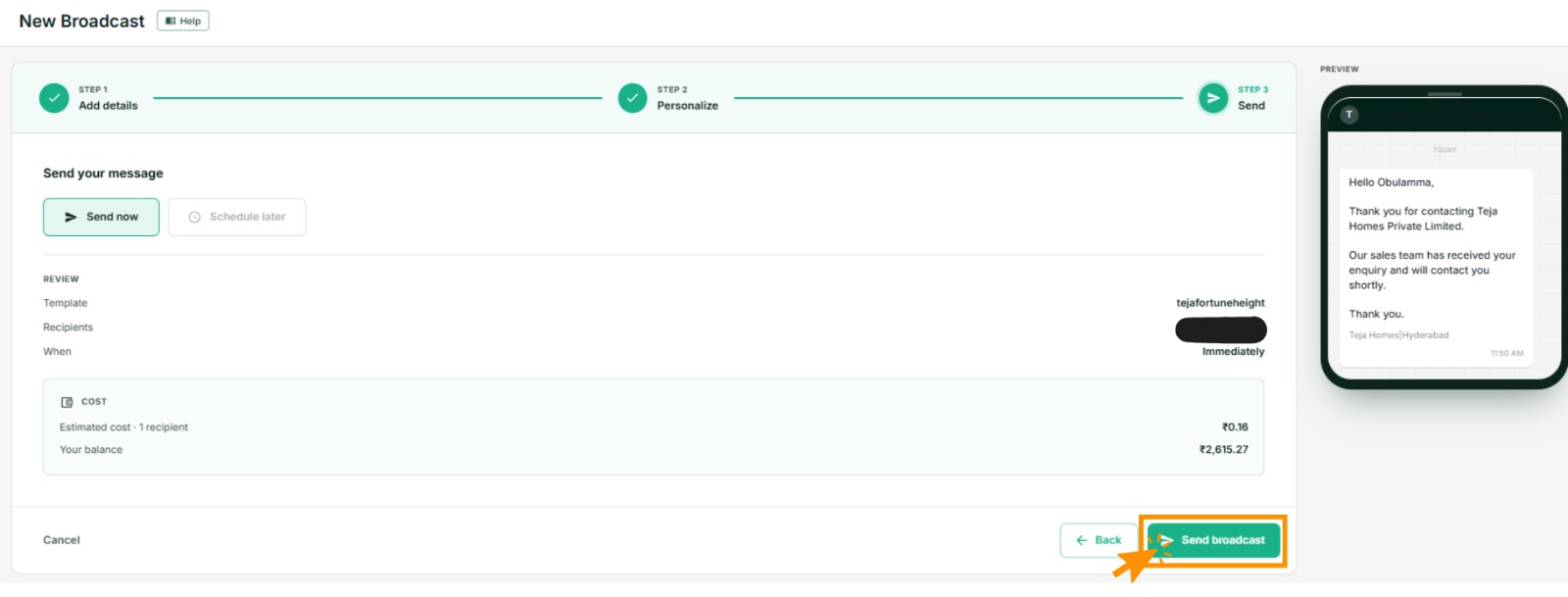
Step 3 — Send
Review the summary — sender, template, how many recipients, the preview — then send now or schedule for later. See Schedule and pace a broadcast.
Two limits to know
Only opted-in contacts are messaged. Opted-out contacts in the group are skipped silently: not counted, not charged, not sent to. If the recipient count is lower than the group size, this is usually why.
Up to 500 recipients per broadcast. For a larger audience, split it — by subgroup is the tidiest way. This is separate from your number's daily messaging limit, which caps how many conversations you can open in 24 hours regardless of how you divide them.
Always send to yourself first
Use Single message, enter your own number, and send. Thirty seconds, and it catches the wrong template, a broken variable or a bad image before it reaches five hundred customers.
What it costs
Each message is charged once it is sent, at the rate for the template's category and each recipient's country. The review step shows the recipient count; multiply by the rate for your category on the pricing page.
Replies that come back are free to answer for 24 hours — from 1 October 2026, for each number's first 1000 a month. See How pricing works.
If something goes wrong
- No templates in the list. None are approved for that number yet. Check Templates, and check you selected the right number.
- No groups in the list. No group has opted-in contacts in it.
- The recipient count is lower than expected. Opted-out contacts are excluded, and the cap is 500.
- It sent but nothing was delivered. Work through I can't send messages.
- Some recipients failed. Open the broadcast to see per-recipient status. See Track what happened.