
Order, pause and edit your answers
Once you have more than one answer, the list itself starts making decisions. This article is about the rules it follows.
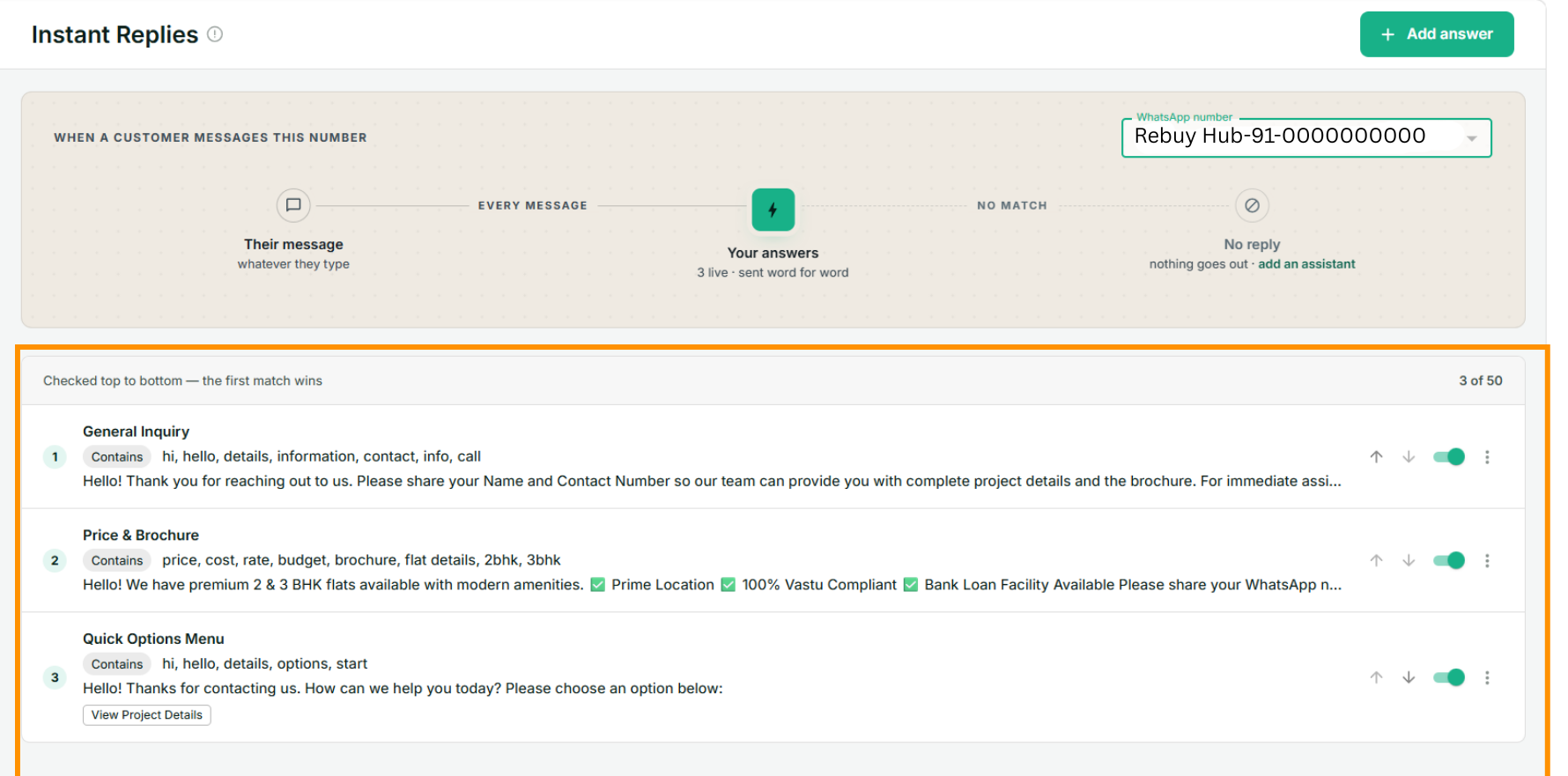
The first match wins
The list is checked top to bottom, and the first answer whose words match is sent. Checking stops there — the customer gets exactly one instant reply, never two.
That makes the order load-bearing. Put your narrow, specific answers above the broad ones, because a broad answer sitting on top will swallow the messages the specific one was written for.
An answer matching hi, hello, details, options placed first will catch "hello, what are your
prices?" and your prices answer will never fire. Move the prices answer above it and both work.
Use the ↑ and ↓ arrows on each row to reorder.
Rule of thumb
Greetings and catch-alls go last. The more words an answer matches, the further down it belongs.
Two things jump the queue
Order decides everything except two cases, where the answer is addressed rather than merely described:
- A tap on a button that opens a specific answer. You pointed that button at that answer, so it goes there regardless of position. See button menus.
- A chat opened from a Click-to-WhatsApp ad, when an answer names that ad's id. Without this, a greeting answer would swallow every ad click, since most ads prefill a greeting.
Pause one without deleting it
The switch on each row turns an answer off. It stays in the list, keeps its words and its position, and simply stops firing — the right move for a seasonal offer, or when you want to find out whether an answer is the one causing trouble.
The count in the strip at the top of the page only counts the live ones.
Edit or delete
The ⋮ menu at the end of a row.
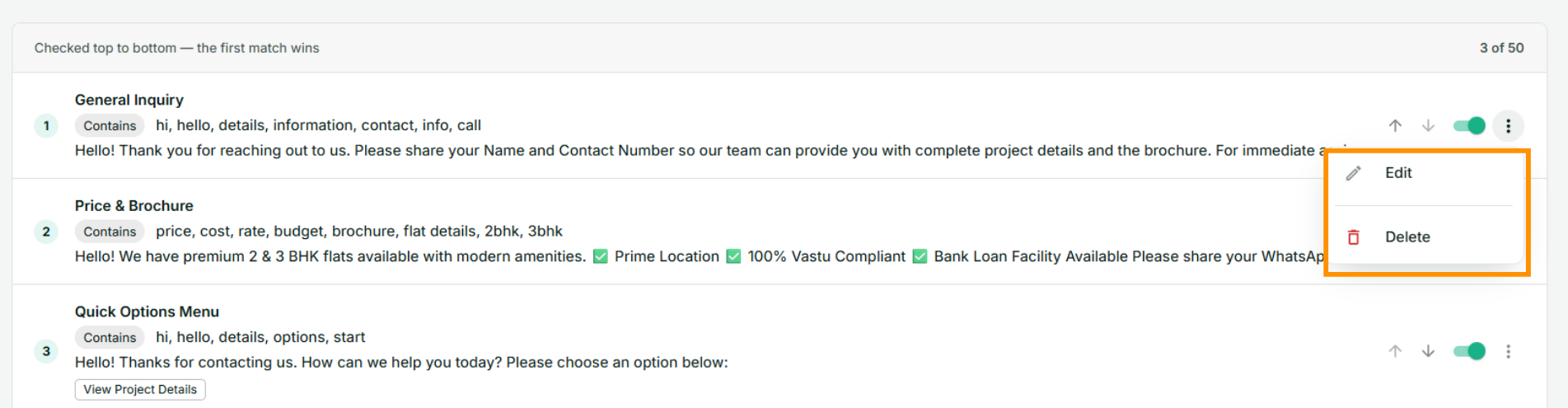
Edit opens the answer as you wrote it, with Save changes at the foot instead of Add answer. Changes apply to the next message that arrives; a conversation already in progress is not affected, because nothing here holds any state between messages.
Delete cannot be undone. If a button on another answer pointed at the one you deleted, that button quietly falls back to sending its own label back as a message — nothing breaks, but the tap may now match nothing at all, so check it.
When nothing matches
A message that matches no answer is handled in one of two ways, and the strip at the top of the page tells you which one applies to this number:
- No AI Assistant on the number — nothing is sent. The message sits in your inbox waiting for a person, exactly as it would if you had no answers at all.
- An AI Assistant is active — the assistant takes over and answers in its own words. Instant Replies handles the questions you have scripted; the assistant handles everything else.
You can also add a final catch-all answer — Matches how → Is anything at all — which replies to any message that got past the rest. That option is offered only when the number has no assistant, because a catch-all would leave an assistant with nothing to do.
How many answers you can have
| Situation | Limit |
|---|---|
| No AI Assistant on this number | 50 answers |
| An AI Assistant is active on this number | 10 answers |
The count sits at the top right of the list — 3 of 50.
Turning an assistant on lowers the ceiling to 10 without deleting anything: answers past the tenth are marked Paused and stop firing until you turn the assistant off or move them up. Ten is deliberate. Past that you are rebuilding a bot by hand in front of an assistant that could answer all of it, and the assistant is the better tool.
If something goes wrong
- My answer didn't fire. In order: is the switch on; is it marked Paused; is another answer above it also matching those words; are you looking at the right WhatsApp number.
- The wrong answer fired. A broader answer is sitting above the one you wanted. Move the specific one up.
- Nothing fires on a photo or a voice note. Matching reads the text of a message. An image, a voice note or a sticker with no caption has no words to match, so nothing fires — that is expected.
- The customer got an answer and then another reply seconds later. They should not, and this is worth telling us about. A matched answer ends the turn: the away reply is skipped and the assistant is never asked. Raise a ticket with the time and the customer's number.
- My answer fires every single time. It is meant to. Every message is checked, not just the first of a conversation, so a customer who says hi three times gets the greeting three times — and is charged for three times. Keep greeting words off answers people repeat.
Next
Set up a Support Assistant — for the questions a fixed list of answers will never cover.