
Schedule and pace a broadcast
Two separate questions: when should this go out, and is it too big to go out at all.
Scheduling
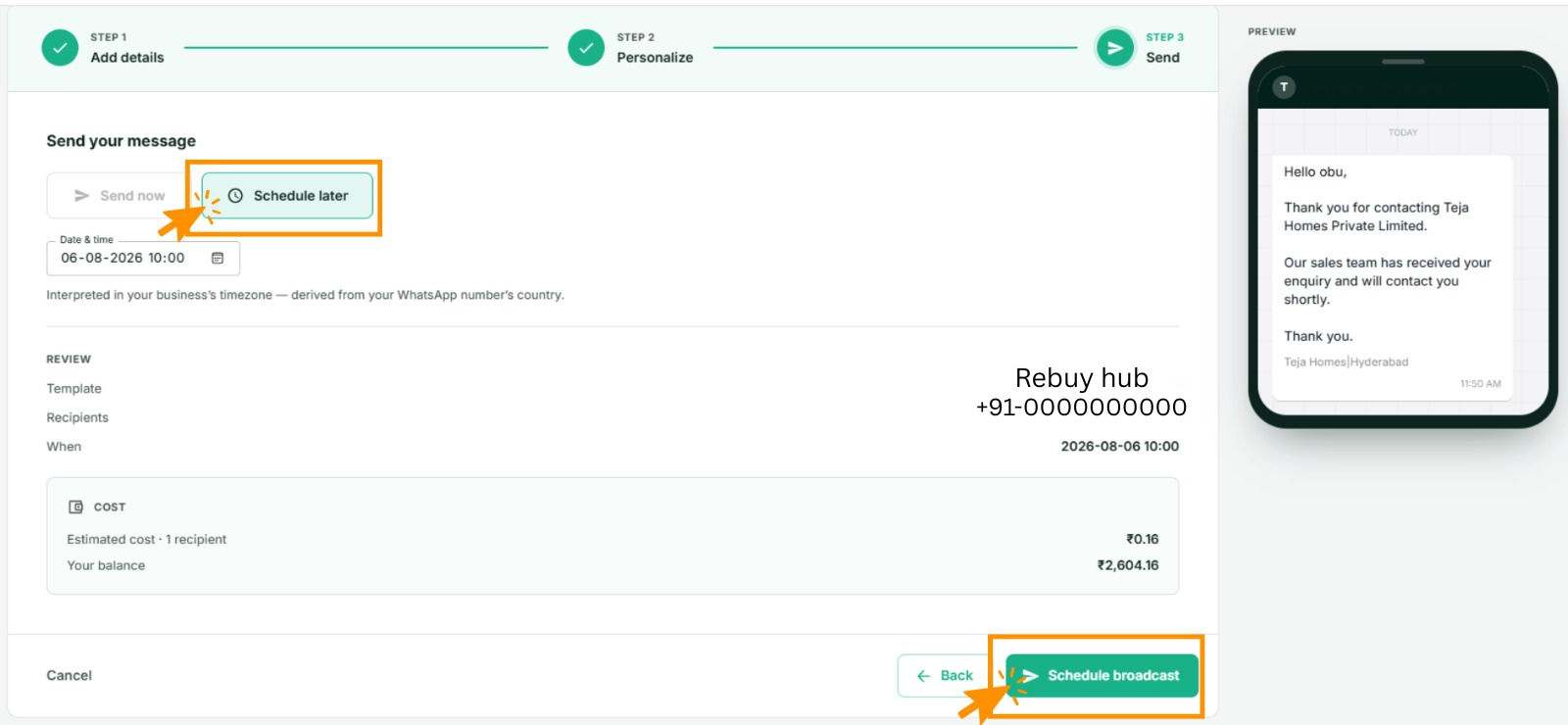
At Step 3 of the wizard, choose a date and time instead of sending now. The broadcast sits as scheduled until then and goes out unattended.
Worth knowing:
- The time is your business's time zone, derived from your WhatsApp number's country — not your computer's clock. If you are travelling, or your laptop is set to another zone, the broadcast still goes out on business time.
- Your balance is checked when it sends, not when you schedule it. A scheduled broadcast on an empty balance fails. Fund the account before the time you set.
- The template must still be approved at send time. Templates are rarely revoked, but it happens.
- You can cancel a scheduled broadcast from Broadcasts up until it starts.
When to send
- Mid-morning and early evening are the usual good windows.
- Avoid late nights. A message at 11pm gets the notification blamed on you, and blocks are what damage your number.
- Think about the recipient's clock, not yours, if your list spans time zones.
Capacity — the bar you must read
When you pick a sender number, Wap2b shows how many conversations that number has opened in the last 24 hours against what its messaging tier allows.
If your audience is larger than what is left, you get a warning. Take it seriously:
Sends past the limit are rejected by Meta
They do not queue and retry later. Meta refuses them, they land in your log as failed, and you pay a small failed-send fee on each. Splitting the send is not optional tidiness.
The capacity figure is an estimate — it counts what Wap2b knows about. If you also send through the API or from the inbox, actual usage may be a little higher.
Splitting a large audience
Two limits push in the same direction:
- 500 recipients per broadcast — a hard cap on one send.
- Your number's daily conversation limit — how many you can open in 24 hours, across everything.
To send to more people than either allows:
- Split by subgroup. If your audience is already divided by city or by product, send one subgroup per day. Tidiest, because the log stays meaningful.
- Split the spreadsheet. For an uploaded list, break it into files of 500 and schedule them across days.
- Schedule them apart. Do not schedule four broadcasts for the same minute — they all count against the same rolling window.
Slower is also safer
Spreading a large send over several days gives you a chance to see the reaction. If the first batch produces blocks, you can stop before the rest goes out.
If something goes wrong
- A scheduled broadcast did not send. Check the balance at that time, and check the template was still approved. The broadcast detail page shows why it stopped.
- Everything past a certain recipient failed. You hit the daily limit. The remainder must go in a later batch, once the rolling window frees up.
- The capacity bar says it cannot load. It could not read the tier from Meta. Sending still works; you are just flying without the gauge. Be conservative.
- You need to stop a send in progress. Open the broadcast from Broadcasts. Messages already handed to Meta cannot be recalled.