
Create your account
This gets you a Wap2b login. It does not connect a WhatsApp number yet — that is the next step.
Before you start
Have an email address you can open right now. A 6-digit code is sent to it, and you cannot go further until it is entered.
Steps
-
Go to Sign up.
-
Enter your first name, last name and email address. The email becomes your login and every account notice goes there, so use one you check.
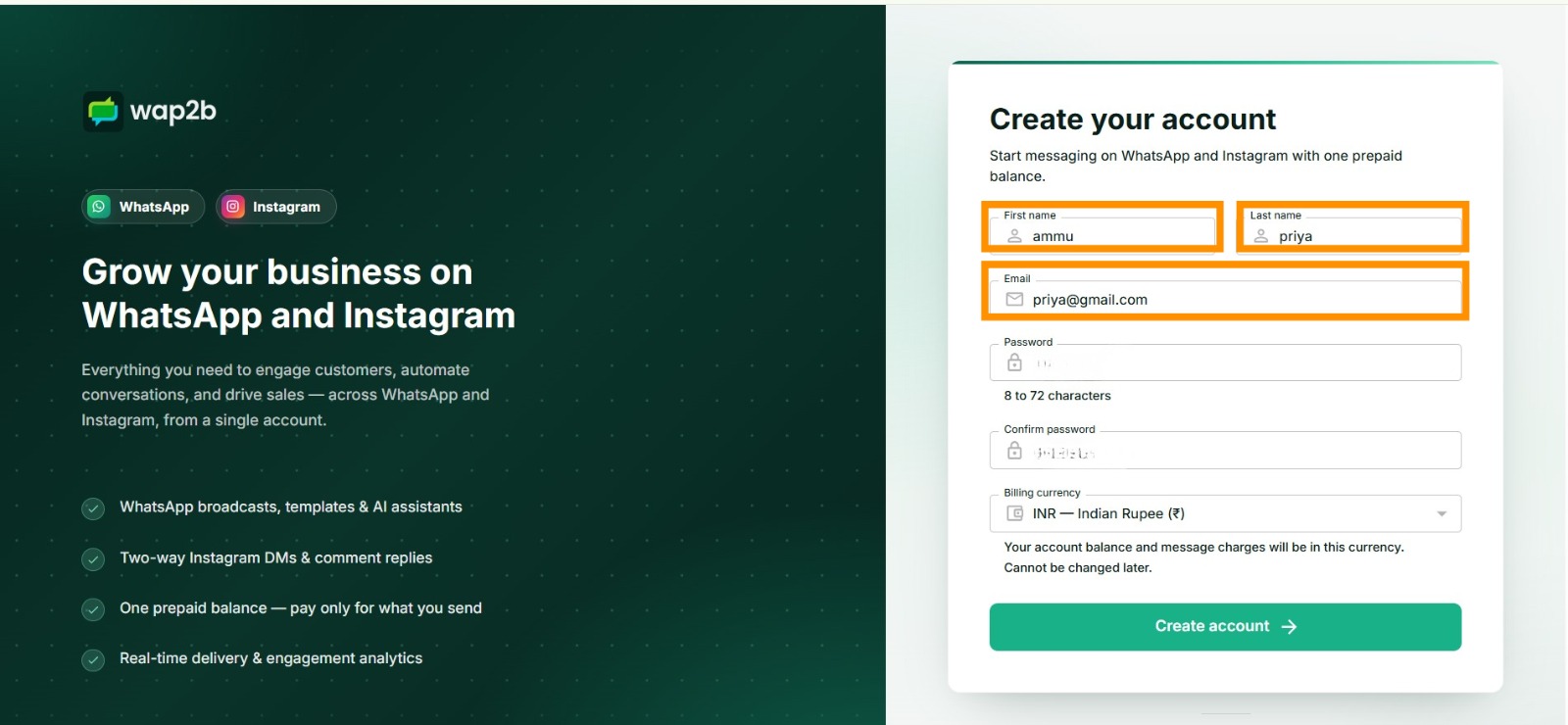
The email you enter here is the one you will sign in with. -
Choose a password and type it again to confirm. It must be 8 to 72 characters, and the two entries have to match.
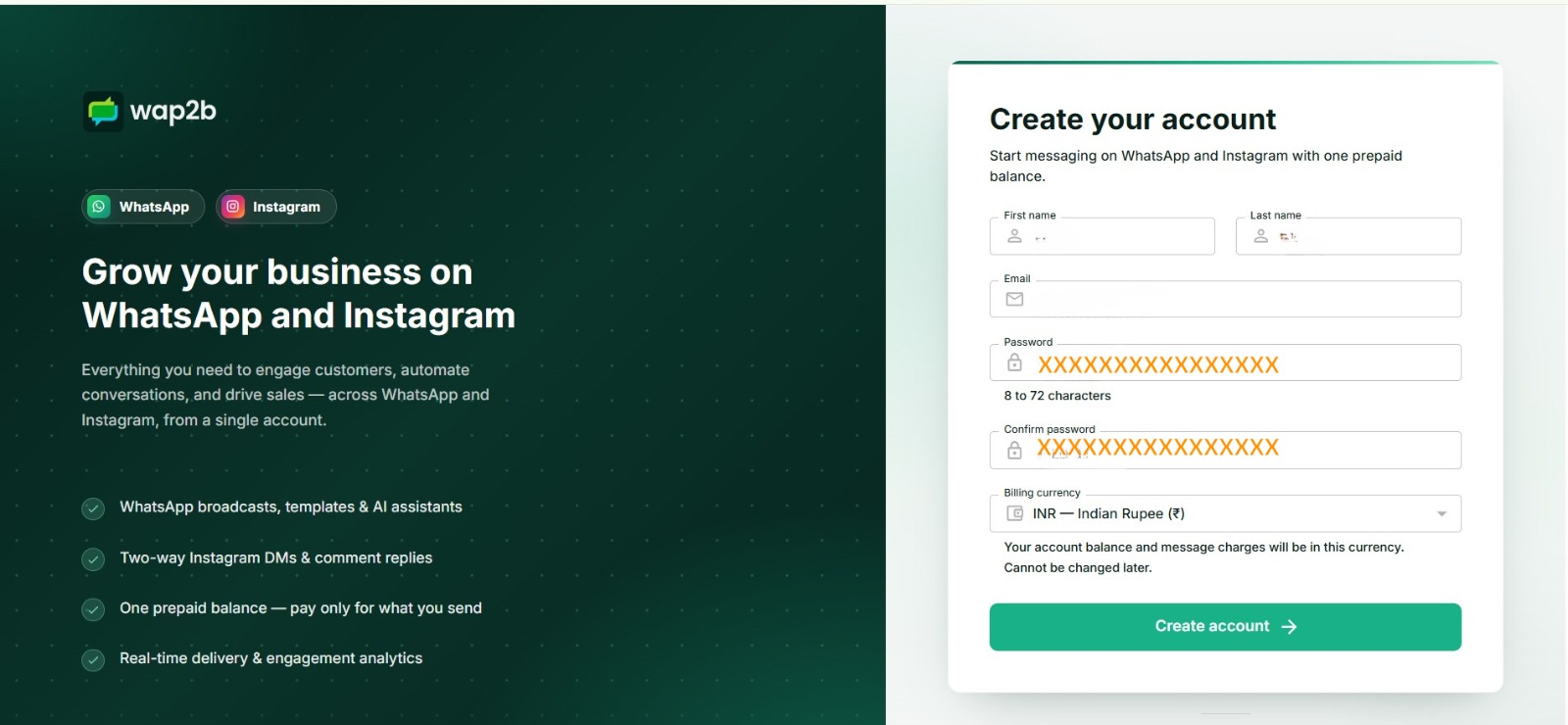
Both fields have to match before the form will submit. -
Check the billing currency. We pre-select one from your location, but confirm it before continuing — see the warning below. Then click Create account.
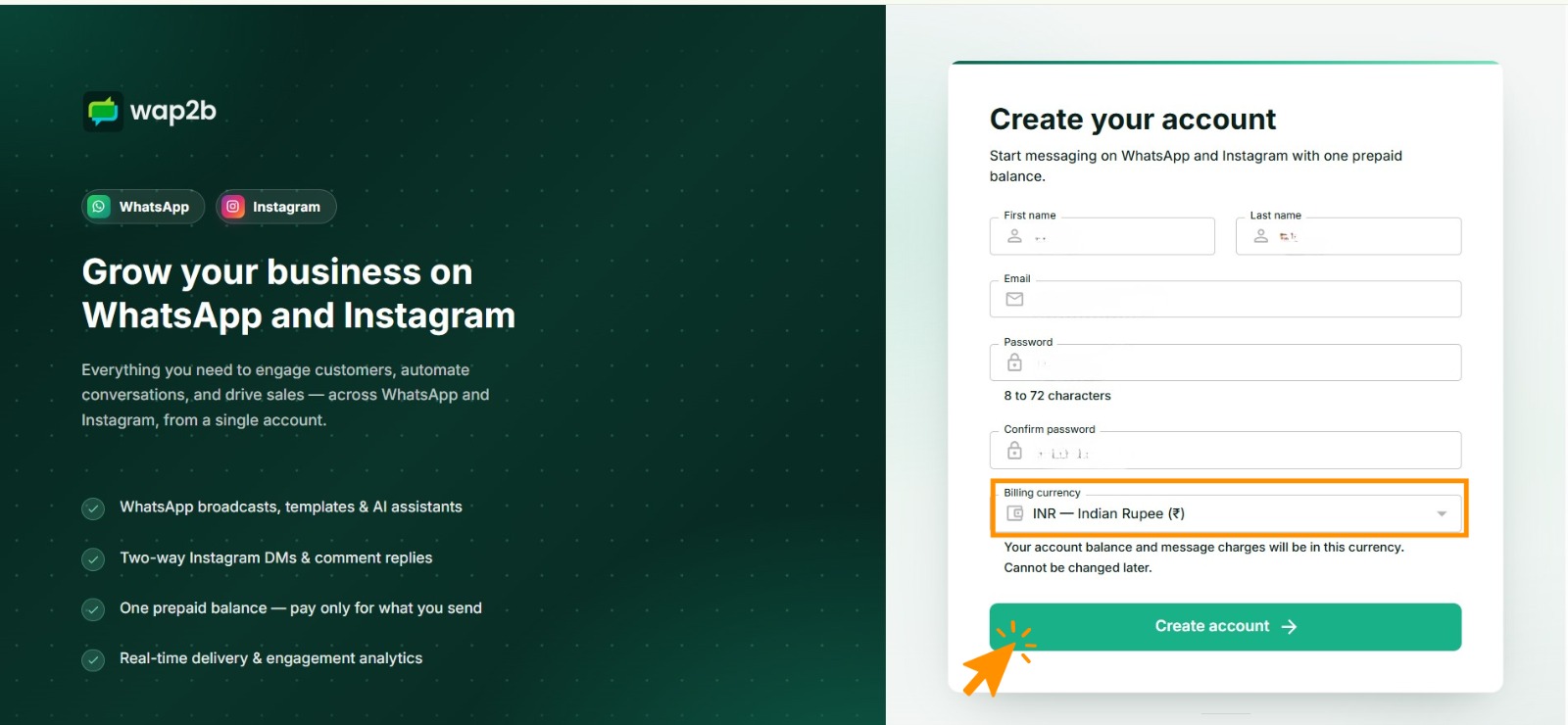
This is your last chance to change currency. Once the account exists it is fixed. -
A 6-digit code is emailed to you straight away. Open the email and copy the code.
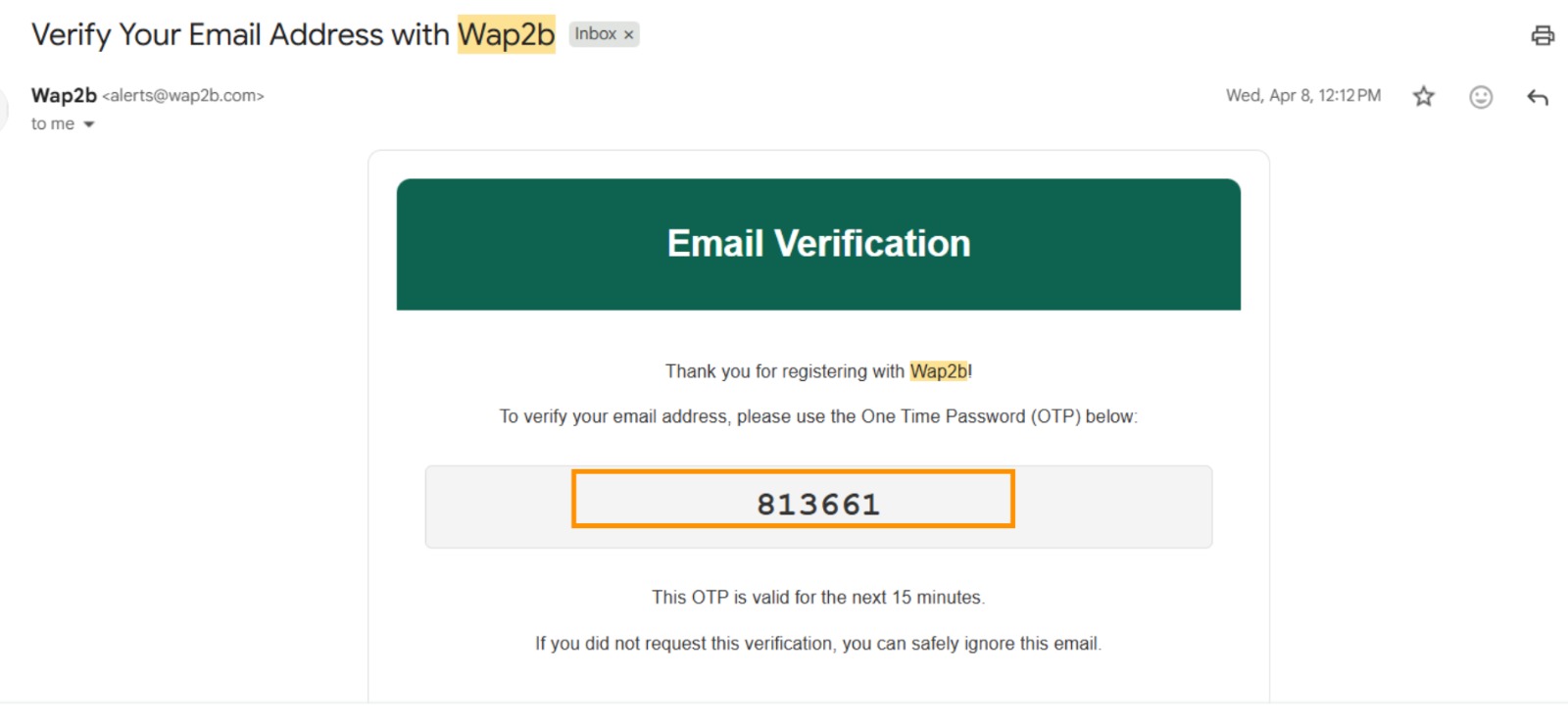
Sent from alerts@wap2b.com, and valid for 15 minutes. -
Enter the code on the verification screen and click Verify email. Your account is now active and you land on the dashboard.
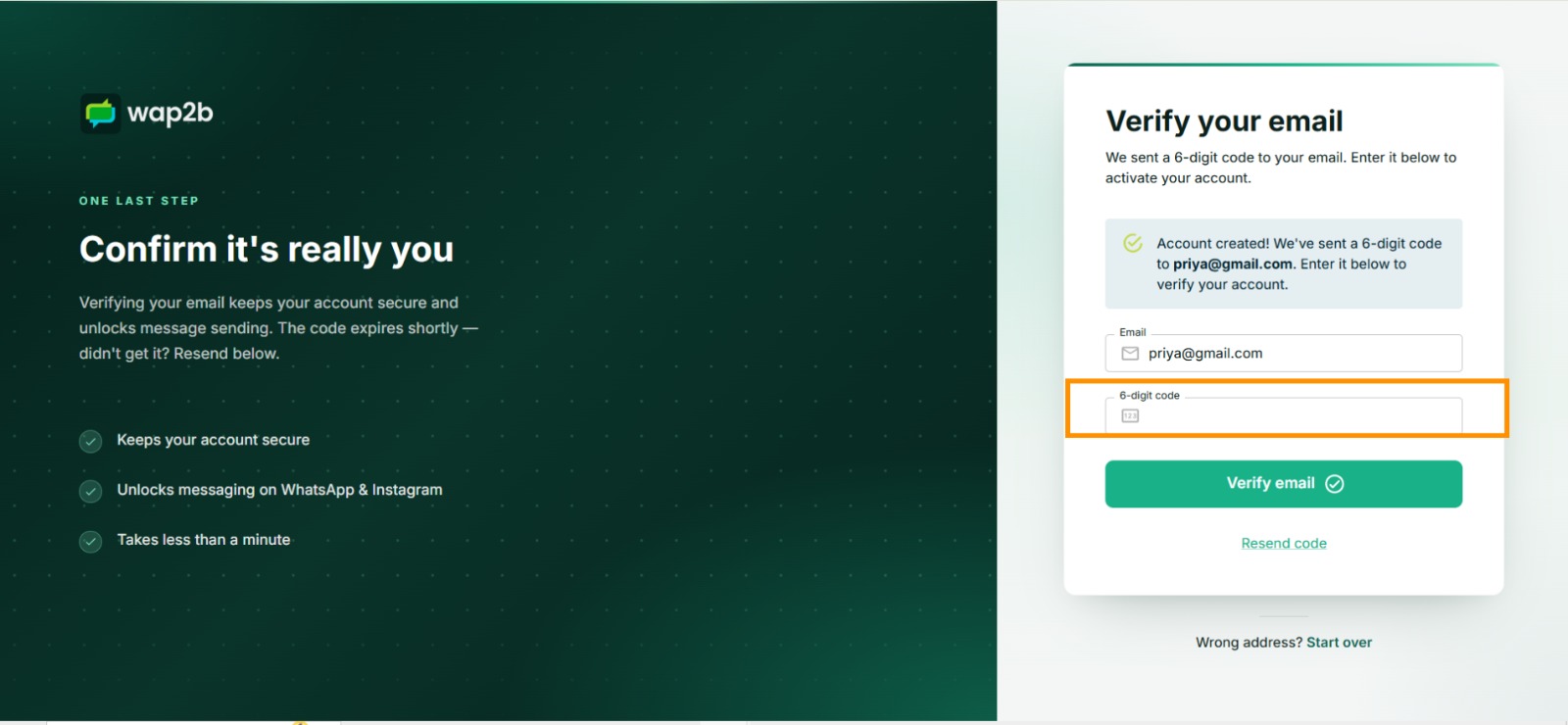
Didn't get it? Resend code sends a fresh one. Start over returns you to sign-up.
Billing currency is permanent
Your balance, your prices and your invoices are all in the currency you pick here, and it cannot be changed later. Pick the one you actually want to pay in — normally your own country's.
Fourteen are supported: Indian Rupee, US Dollar, Euro, Pound Sterling, UAE Dirham, Saudi Riyal, Mexican Peso, Singapore Dollar, Australian Dollar, Brazilian Real, Indonesian Rupiah, Malaysian Ringgit, Colombian Peso and Peruvian Sol. The smallest top-up differs by currency — see Add funds. Indian accounts are additionally charged 18% GST on top-ups and receive an Indian GST invoice.
What happens next
Your account starts with no WhatsApp number connected and a zero balance. Neither is a problem — you connect a number first, then add funds.
Signing in from now on
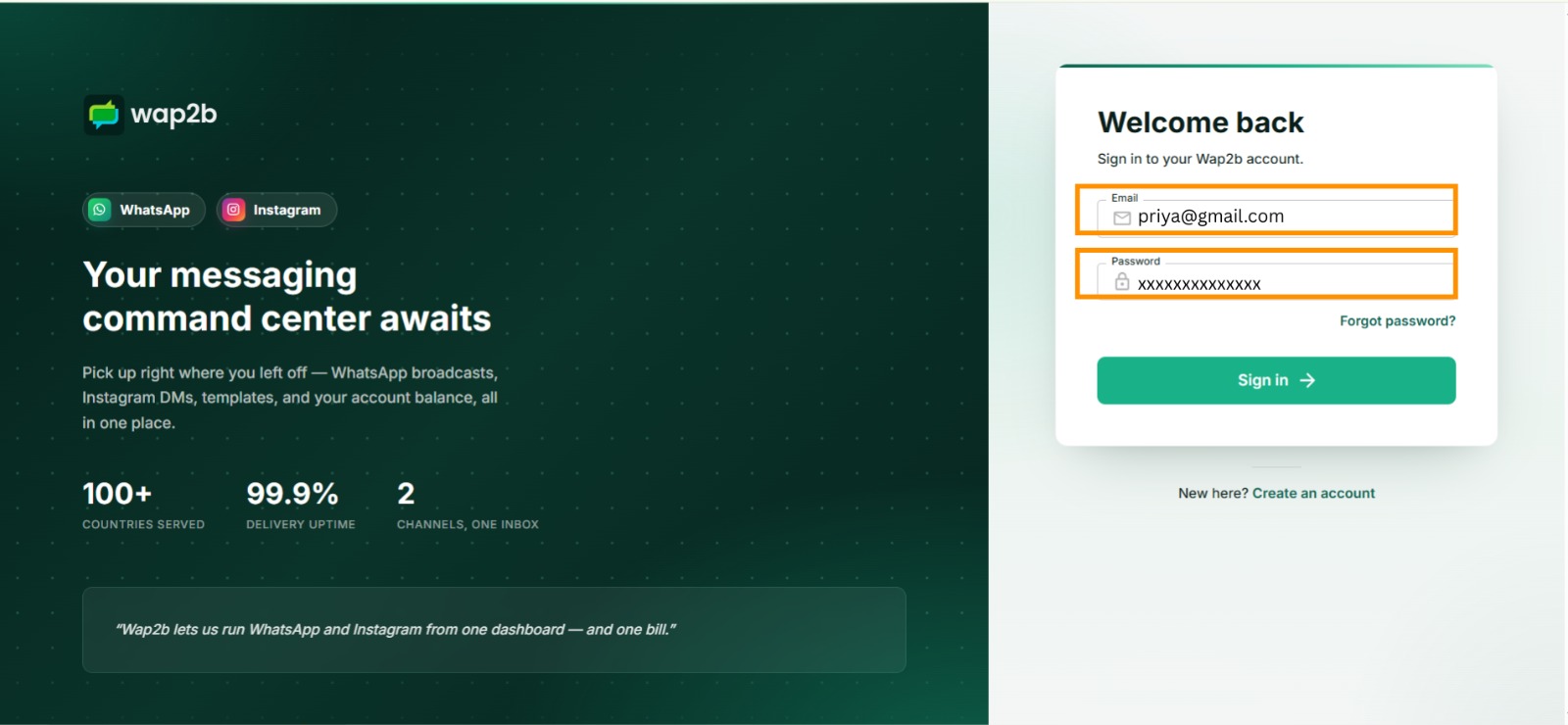
Go to Sign in and enter the same email and password. One login covers everything on the account — WhatsApp, Instagram, your balance and your team.
If something goes wrong
- The code did not arrive. Give it a minute, then check spam and promotions. The verification screen can send a fresh code; request one rather than waiting.
- "That email is already registered". You have signed up before. Use Sign in, or reset your password if you cannot remember it.
- You picked the wrong currency. Because it cannot be changed, the fix is a new account on a different email address. Do this before you connect a number or add funds — after that it is genuinely painful. Open a ticket if you are already past that point.
- You were invited by a colleague. Do not sign up separately. Use the invitation link they sent — it puts you inside their account with the right role. See Work as a team.