
Add contacts
Your contact list is who you can broadcast to, and who the inbox recognises by name instead of by number.
For more than a handful of people, skip this page and use Import from a spreadsheet instead.
Steps
-
In the sidebar, open WhatsApp toolkit → Audience → Contacts.
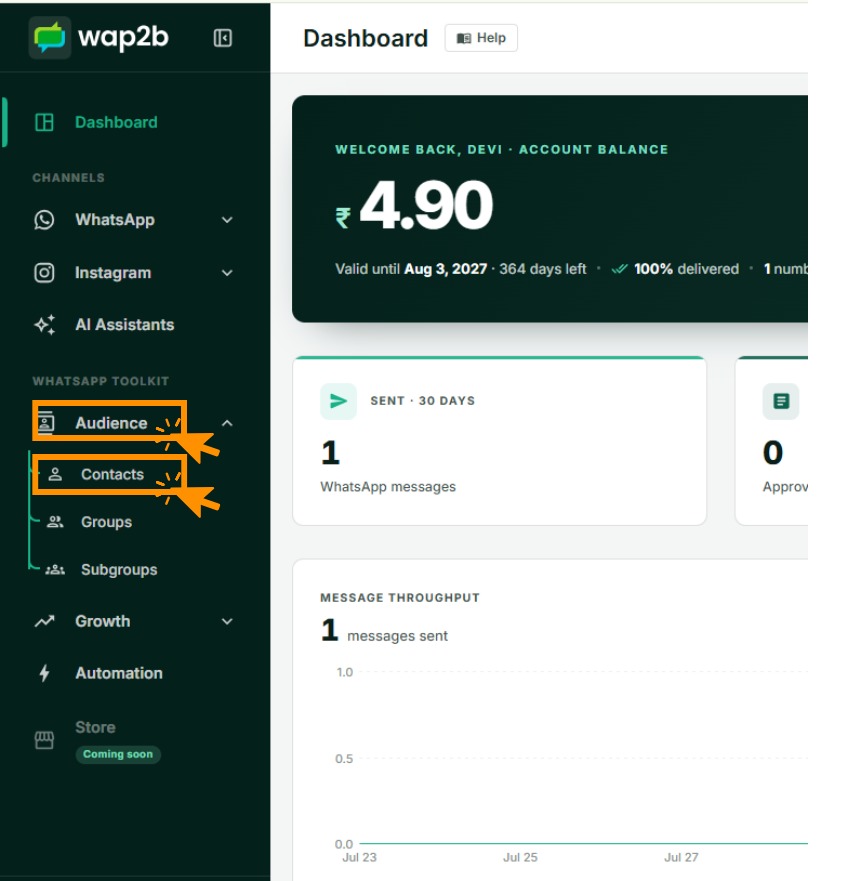
Groups and Subgroups sit under the same Audience heading. -
Click Add contact at the top right.

Import beside it takes a spreadsheet — the right choice for more than a handful. -
Choose the country, then type the phone number without the country code and without a leading zero.
-
Add a first and last name. Optional, but the inbox is much easier to work when conversations have names on them.
-
Add an email and a reference if you have them. The reference is a free text field — use it for your own customer ID, invoice number or anything you want to match against later.
-
Optionally put them straight into a group and subgroup. You can do this later too. See Organise with groups and subgroups.
-
Click Add contact.
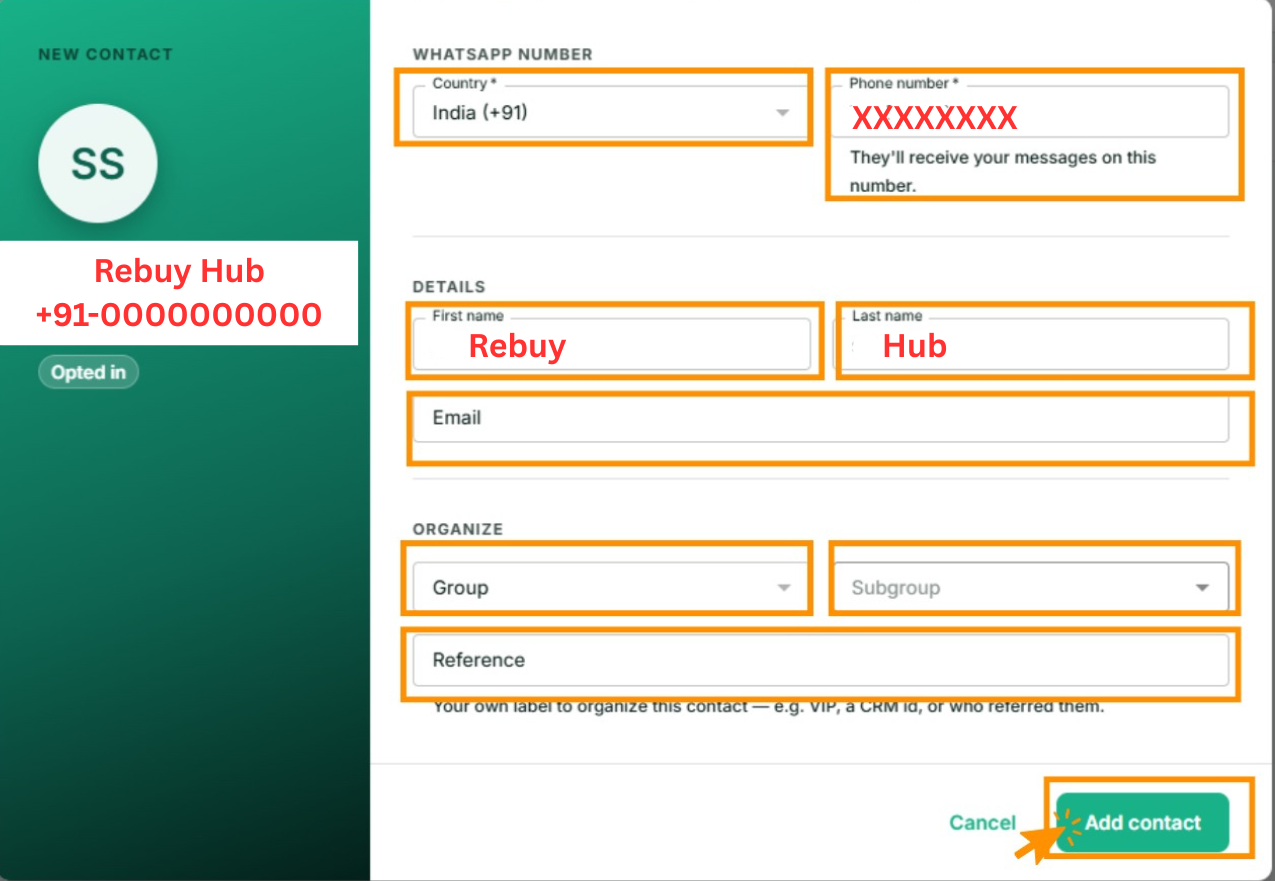
The card on the left previews how the contact will read in your list.
They appear in the list straight away.

Getting the phone number right
This is where most problems start.
| Do | Don't |
|---|---|
| Pick the country from the list | Type the country code into the number field |
9154091982 | 09154091982 — no leading zero |
| Digits only | +91 91540-91982 — no spaces, dashes or brackets |
A number stored wrongly does not fail loudly. It saves, sits in your list, and then every message to it fails.
Test the number you are least sure of
If you have imported from an old system and the formats look inconsistent, send one message to a single number first rather than discovering it across a broadcast of a thousand.
Opt-in status
Every contact is either opted in or opted out. Broadcasts only go to opted-in contacts — opted-out contacts are skipped without being counted or charged.
Only mark someone opted in if they actually agreed to hear from you on WhatsApp. What counts is covered in Who you're allowed to message.
You can filter the contact list by opt-in status to see where you stand.
Finding and editing contacts later
Search by name or number at the top of Contacts, and filter by group, subgroup or opt-in status. Click any contact to open their details, edit them, change groups, or read their conversation history.
If something goes wrong
- "A contact with this number already exists". They are in your list, possibly under a different name. Search for the number rather than the name.
- Messages to a new contact keep failing. Nearly always the number format. Check the country, and check there is no leading zero.
- They are not receiving broadcasts. Check they are opted in, and check they are actually in the group you are broadcasting to.
Next
Import from a spreadsheet for the rest of your list.